![CV-FullLogo-White.svg]](https://help.clearvoice.com/hubfs/CV-FullLogo-White.svg)
You can duplicate, archive or delete assignments in ClearVoice so your work area is organized and more efficient. This can be done
- Access the Assignment View by selecting Manage from the left side menu, then selecting Assignments
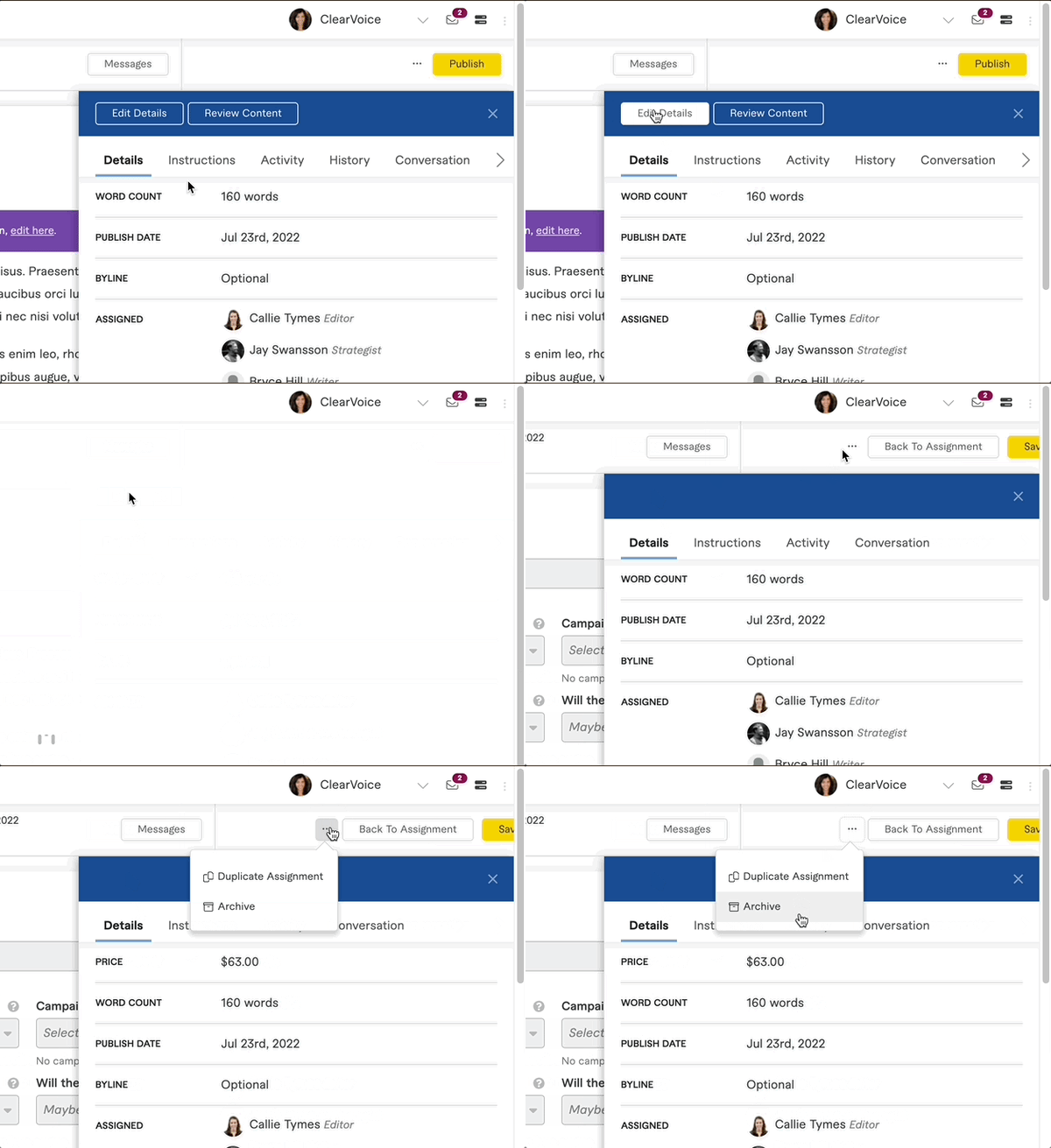
- Click, Edit Details at the top of the right side modal. If the modal is collapsed, click the arrow to pop it out.
- If the assignment is in Draft status, go to the next step
- Click on the ... in the top right; select Archive, Duplicate, or Delete as needed
Requirements to Delete an Assignment
You can only delete the assignment if it's in one of the following statuses; Draft, In Progress, Pending Review* and Revision Requested*.
* Keep in mind the writer will still get paid if assignment is deleted when in these statuses. Contact us if there is a dispute.
Actions you Can Take based on Status of the Assignment
Status of assignment - Available actions
- Draft - Duplicate, Archive, Delete
- In Progress - Duplicate, Delete
- Offered - Duplicate
- Pending Review - Duplicate, Delete
- Revision Requested - Duplicate, Archive, Delete
- Published - Duplicate, Archive